Should Your Business Site Feature a Portfolio on the Landing Page?

Your landing page is often the first impression visitors have of your business. A well-designed site means the difference between a user who bounces away and one who converts into a lead. Should you include a portfolio on your landing page? Will it distract from the buyer’s journey?

The answer isn’t cut and dried. You might find a portfolio works well on one landing page and not another. In a Databox survey, researchers found a 26% average landing page conversion rate across industries. However, some sites saw rates as high as 70%. Your goals should start where your site currently is and gradually increase until you hit the range you desire.

Does Your Business Site Need a Portfolio?

What does a portfolio do for your business site? You’ve likely seen galleries on sites for home builders, interior designers and cosmetic surgeons. If you can show a clear before and after or how your product is unique, a portfolio inspires users.

Yes: You Offer Custom Options

Companies offering custom solutions can best showcase their abilities via photo galleries. If you build homes, create outdoor landscapes, create home decor or do any other type of custom work, then a portfolio on your landing page is a must.

Utilize your portfolio to show off your best work. Choose only photos highlighting what you do best. If you add detailing to cars, share a range of common requests such as pinstripes and more detailed work such as flames down the side of an old Chevy.


Grace Point Contracting offers custom options based on the needs of each client. Note the highlighted gallery image in the screenshot above and the details on how they added new siding, windows and doors.


Potential customers want to see the quality of work before contracting, so the images highlight their abilities, the process and the beautiful finished product.

Yes: You Sell Services

Not everyone is great at selling themselves. You might be the best vinyl vehicle wrap installer in your state, but if you don’t know how to convey the message to potential business to business (B2B) buyers, you may miss out on sales.

Your landing page can serve as a sales tool, so you don’t have to pitch yourself as hard. You can even pull it up and use it as a prop when talking to potential clients. Use the portfolio to showcase the work you’re most proud of.

Kentucky Dent Guy uses a portfolio on his landing page to highlight some of the more challenging dent repairs he’s capable of. The photos automatically rotate, so you can see how he fixes bumpers, door dings and hail damage.

Since each job is unique, this allows leads to see if his service might work for them. He also includes a way to phone and text him to get a fast quote.

Yes: Before and After Is Your Lifeblood

A portfolio is the perfect solution for any business that does improvements. For example, if you own an interior design company, landscaping firm, dental practice or anything that goes from start to finish with an improvement, you can showcase the before and after photos in your portfolio and make a powerful impression.

Select images with startling contrast. Think about the services and products making you the most profit and highlight them on your landing page portfolio.

Streitz Dental Arts shows their abilities by placing side-by-side photos of before and after smiles on their website. Some of the images are startling, which encourages clients with severe dental issues to contact them.

When to Avoid a Portfolio on Your Landing Page

You might wonder if there is ever a time you shouldn’t put a portfolio on your landing page. Of course, there are times when it will distract from the sales funnel and not add much value to your site. Here is when you should say no to a landing page gallery:

No: You Sell a Consistent Product

If you sell the same product that does the same thing for each customer, you may not need a portfolio. You might be better served highlighting the image in use or showing it from different angles.

Consider the details a customer needs to make an informed decision about buying from you. If they only need price, product details and a few images, avoid a bulky portfolio and keep the page streamlined.

No: Your Bounce Rate Is High

Do site visitors land on your page and immediately bounce away? You may have too much clutter on your landing pages. Remember to focus on a single goal for a single element on your site.

Who is your target audience? If you drive visitors from Facebook to collect a free guide and capture their emails, you shouldn’t distract from the purpose of the page. Add a simple form and let them know what they’re getting in exchange for their information.

Powerful Portfolios for Your Site

There is a time and place to add portfolios to your business website. Think about the purpose of each page and whether an image gallery adds to your goal and moves the user toward an action.

Add new features and test to see how users respond. Over time, your use of images should improve and you’ll know what drives your target audience. In the meantime, add photos when it makes sense and adds to the discussion. You can always take them down again and try something else.

Eleanor Hecks is editor-in-chief at Designerly Magazine. Eleanor was the creative director and occasional blog writer at a prominent digital marketing agency before becoming her own boss in 2018. She lives in Philadelphia with her husband and dog, Bear.

Attorney Legal Services Website

We worked with attorney Lora Holman to put together a great site that would work for her law office. The site includes a large list of services she offers, with a detail page to increase specific SEO on the site for those particular services and keyword phrases. We also created a back end of the site for easy editing, addition, and removal of posts, pages, and other content.

5 Ways to Streamline App Development

The app market is booming. The building, deploying, and marketing of your app is a great investment — if you have the right tools and if after that, you promote your app on social media. For example, there are companies such as Growthoid.com user ratings that can help you increase the number of your social media followers. Thus, more and more people will find out about your recently launched app. 

Streamlining the app development process is about approaching the process with an open mind and a lot of research. 

Too many app developers today face structural and organizational challenges that prevent them from creating their best work. 

Here are five ways to streamline your app development processes:

1. Use agile principles

Building software can be quite a daunting endeavor. It’s important to have some of Agile’s best guiding principles to help you cut costs and improve your team’s effectiveness.

Additionally, getting the most out of your developers is much simpler with the agile method where constant communication and cooperation guarantees that everyone gets involved. The platform you choose to use will also greatly affect the app’s performance. 

Some important agile principles are:

  • Product-based progress 
  • Simplicity is paramount
  • The customer always comes first
  • Improvements are made each cycle (cyclical design vs waterfall or cascading design)

2. Choose a feature-loaded platform

There are several platforms like Ionic and BuildFire that make creating apps a simple process and take out a lot of the menial coding that would simply slow down development. 

Larger teams may be more willing to create from scratch but even though it is not recommended due to these services making life so much easier. 

Try platforms like:

  • Ionic
  • BuildFire
  • BuildBox
  • Android Studio
  • Xcode

3. Leverage UX consultancy

UX consultants are indispensable assets for any app development team as they can accurately assess the experience of the app as a whole. Unfortunately, there are many great ideas hidden behind a gauntlet of bad taste and poor execution. 

Avoiding these pitfalls is as simple as consulting with a UX professional who will give you the tips you need to make your app a truly enjoyable experience. 

UX consultants can help awesome mobile developers get:

  • Better screens
  • Optimized ease of use
  • Effective test cases

4. Tweak based on user feedback

Even though it may feel like an uncomfortable endeavor you should always be open to feedback and ask for it as much as possible. Feedback Is the only way companies know if they have developed a star or a dud. 

That is why it is so integral that you test your product’s vision and design before committing to a final product. 

App development teams that are open to tweaking will almost always find success because they will always be seeking improvement. 

Update your app continuously instead of holding on to an app shy of perfection:

5. Automate testing

Developers should also use their fair share of automation tools to get the job done in a great time and with incredible precision. Developers can use automated applications that will accurately assess the responsiveness of the app while testing their technical features. 

App developers now can test on-demand allowing for a constant cycle of testing and improving that will result in a perfect product and a highly skilled development team, which will help a business thrive. 

Developers can also use automation for some app-related technologies like marketing and organizing to make the entire experience less stressful without being less fulfilling.

One of the first things to pinpoint for improving the process is the management style of the app development team. If on small teams of developers the agile method works wonderfully as it helps developers feel connected and heard without the draconian overhead of constant management. 

Agile is much more focused on making the product the best that it can be for the client or market without sacrificing developers or losing ideas. 

Many app development teams will begin to steamroll ahead without much thought often leaving behind a slew of ideas that may have improved the product immensely. Using the agile method will also allow the product to flourish naturally as its development should respond to certain market changes or client demands. 

Applications are built on ideas and services that could genuinely help someone and no amount of tedium should stand in the way of a great idea. 

5 Steps to Write a UX Design Proposal

Given how digital technology became commonplace in our society, users’ expectations from the platforms they use also evolved. According to published data, 94% of people won’t trust a website or app with outdated design, with 75% basing the business’ credibility on design alone. Statistics suggest that 52% of users won’t use a website because of poor aesthetics, with 90% who stopped using apps due to their poor performance.

Your website, app, or online platform may be due for a visual and User Experience (UX) design overhaul. This is where writing a proper UX design proposal comes into play, as it can help you outline your design in great detail. Let’s tackle UX design proposal writing in detail to enable you to build a better platform for your users in 2021.

Reasons to Write a UX Design Proposal

So, what are UX design proposals all about? They are documents that help businesses outline their UX redesign plans for an app, website, or online product. Typically, companies don’t write UX design proposals if everything in said product is working well and their user bases and revenue continue to grow. However, businesses also want to outperform their competitors and position their brands properly on the open market.

According to reports, 80% of users are willing to pay extra for better UX, with 70% of business leaders seeing UX as a competitive differentiator. It’s not enough for a mobile app or a website to simply “work” – it has to be aesthetically pleasing, engaging, affordable, and functionally up-to-date. This is where UX design proposals come to the forefront. Writing such a document before tackling a major UX design overhaul of your product can lead to several benefits, including:

  • Full understanding of your product’s current pros and cons
  • Assurance that the new UX design won’t be worse than the current iteration
  • Making sure that the new UX design has long-term viability
  • Ability to outline the development timeline and budgetary needs properly
  • Freedom to pilot the new UX design with test groups and spruce up defects

Writing a Great UX Design Proposal

  1. Outline the Pressing Issues in Current Design

The first item on your agenda should be to audit the current state of your product. What exactly leads to your writing of a new UX design proposal? Is your website or app underperforming, experiencing technical difficulties, or is lagging on UX design trends?

UX redesign is a major project, one which will take your team months to implement properly. This is why your team will want a clear outline of exactly are the issues with the current build of your product. If your writing skills are lacking, you can order product review writing from a trustworthy service to help in the product review and auditing stages. Use your strengths as a software developer and UX designer to describe what caused you to write a UX design proposal before moving further.

  1. Define the Outcomes of Implementing New UX Design

What would the hypothetical results of implementing a new UX design look like? As we’ve mentioned, rolling back a non-functional UX design to a previous build will take up unnecessary resources. For your UX design proposal to hold under scrutiny, you will need to outline the very objective benefits of its implementation. Depending on the extent and specific areas you want to address with your UX redesign, some outcomes can include:

  • Improved product stability and visual appeal
  • Better user engagement and market acquisition
  • Optimized future updating and development processes
  • Elimination of outdated code and visuals from the UI
  1. Describe the Development Timeline and Budget Needs

Once you’ve outlined the cause of writing a UX design proposal and the benefits of implementing it, you should proceed to describe the development timeline. How long will it take you to test the new UX design and implement it on a live build? Subsequently, what do you need in terms of manpower and resources to develop your UX design?

It’s best to be as objective and critical as possible when writing this section of the proposal since your team will want concrete referential information. Be realistic about how much time and resources you need, and your proposal is more likely to be approved for full production.

  1. Back your Claims with Social Proof and Statistics

You can help your cause by including references and statistical research based on UX design. For example, studies show that 88% of people are unlikely to return to a website after poor UX.

Your colleagues and decision-makers within your company need to be aware of current UX design trends to make an informed decision on UX redesign. You can go a step further and collect user feedback on your app or website and include it in the UX design proposal. Social proof coming from your user base is essential, as it will indicate what works and doesn’t work for your audience.

  1. Create a FAQ Section to Cap Off the UX Design Proposal

Depending on how tech-savvy the decision-makers in your company are, you may want to write an FAQ section into the design proposal. This can serve as a great referential segment for people who are not designers or programmers but still have a say in approving your document. Some questions you should aim to answer include:

  • How do we define a “successful” UX design?
  • Why do we need a UX redesign at this stage?
  • What will we do in case the new UX design doesn’t catch on?
  • What will happen if we go over budget or breach the development deadline?
  • How will we test the new UX design before going live with it?

Answer each of these questions with a short 2-3 sentence paragraph to show foresight and critical thinking. Answering “taboo” questions in a FAQ section will increase the likelihood of your UX design proposal being approved.

Making Good Use of your UX Design Proposal (Conclusion)

Once your UX design proposal is greenlit, you should stick to it as much as possible. Don’t deviate from your plans to justify the trust put into your hands. If any changes need to be made to the UX design proposal, you should ask for additional approval before course-correcting. Going into a redesign with a concrete plan is an amazing way to showcase that you are not only a designer but a decision-maker.

Author’s bio. Jessica Fender is a copywriter and blogger with a background in marketing and sales. She enjoys sharing her experience with like-minded professionals who aim to provide customers with high-quality services.

How to Design the Perfect Portfolio Page to Best Represent Your Brand’s Quality

One of the best ways to attract new clients is showing them your top projects. Your website portfolio page is your chance to highlight your expertise in specific areas. You can use it to stand out from the competition and make a strong impression so they remember you when they are ready to hire someone.

According to Internet Live Stats, there are approximately 1.86 billion websites online. However, not all are active and some park on top of other domains. Still, you’re competing with a lot of noise to get your portfolio page noticed. People have many options on where to spend their time. Make your page interesting enough that they want to devote some of their day there.

What is the secret ingredient that makes one portfolio page stand out from another? You must grab attention, showcase the wide scope of your work and instill the idea your brand is high quality all with a few photos and text. Here are the steps to achieving the perfect online presence.

1. Choose Your Best Work

Selecting only the photos highlighting the top quality work you do might seem like a no-brainer. However, it’s easy to hone in on the project you completed and not realize the photos don’t truly do it justice. Your portfolio is about more than just great projects. It must encompass great pictures to highlight your abilities.

Make sure any photos you use clearly show the before and after of your work. Take the time to invest in photo editing and excellent equipment so your images aren’t filled with shadows and poor lighting. Select only the best images.

Ronald L. Receveur, DDS offers dental implants. They showcase their best work in their “Smile Gallery.” You can scroll through the different images to see the beautiful smiles they’ve created.

Something they add to their portfolio page that works particularly well is a link to patient testimonials. Click on any video to hear more about what their service did for the person and get a glimpse of what their smile looks like in real life.

2. Add Trust Factors

When people land on your page, they have no reason to trust you. Even if a friend or family member referred them, they’ve not done business with you before. You must show them you can be trusted. You can add several trust factors to your portfolio page to show you’re honest.

In addition to reviews and testimonials, make your contact information easy to find. People want to know they can get in touch if something goes wrong after their purchase. Add any organizations you belong to, such as professional trade associations or the Better Business Bureau.

3. Utilize Case Studies

There may be times when you have a particularly challenging task to complete. Highlighting how you were able to overcome difficulties shows clients you don’t stop until you find the right solution. Case studies give you an opportunity to share photos of the finished project, but also dig deeper into the story behind the job.

Illuminated Integration shares the details of a job they did for Otterbein Church. The task was to convert a gymnasium into a church sanctuary. They had to figure out how to create a welcoming atmosphere that suited the needs of a large, modern church. The company worked on lighting, acoustics, audio, video, curtains and atmospheric controls.

4. Tell Them Who You Are

In the midst of sharing stories about your projects, make sure you show potential clients who you are. While telling customer stories, tell your own story. What do you stand for? What is at the core of why you do the work you do?

At a minimum, include a short about section and a link to more details. Your portfolio page is an excellent location to share a video about your brand story.

5. Share the Details

Your portfolio is about more than just the finished product of your hard work. People want to know you understand the steps involved in getting from Point A to Point B. You must tell a story as you share examples of your work. What was particularly challenging about the job? How is it unique from other projects of a similar nature? Show off your expertise.

Walnut Ridge Landscape Design shares their three-dimensional plan for the space next to a photograph of the finished project. By showing site visitors their concept, they prove they can come up with a plan and bring it to life.

6. Include a Call to Action (CTA)

You might not naturally place a CTA button on your portfolio page, but the goal of the page is to seek new leads. When someone views your images, the ideal result will be they want to hire you.

Make your CTA easy to find. Ideally, you’ll include a link near the top of the page offering a free consultation or quote. Some people will click the button right away and others will spend time perusing your portfolio, so you may want to add a second button under your gallery or to the side.

Try different placements until you find the one your users respond best to. Conduct split testing, adjust the wording, try different colors and keep tweaking until you’re satisfied with your conversion rates.

Quality Over Quantity

Your photos are the face of your brand online. It’s better to have a few high-quality images taken by a professional photographer than a ton of pictures with fuzzy focus or dark shadows. Ideally, you’ll choose a wide range of projects so you can showcase your abilities, but don’t be afraid to limit yourself until you have the right ones to prove your worth as a business.

Eleanor Hecks is editor-in-chief at Designerly Magazine. Eleanor was the creative director and occasional blog writer at a prominent digital marketing agency before becoming her own boss in 2018. She lives in Philadelphia with her husband and dog, Bear.

5 Ways to Set Your Digital Marketing Company up for Success in 2021

The past year has been challenging for many industries. Digital marketing has seen huge growth due to more businesses marketing online and even offering their products via e-commerce stores. You may have seen rapid growth and want to keep that momentum going into 2021.

With so many people staying home and spending more time online, it isn’t surprising the demand for digital marketing has also increased. However, just because there is more need for your services doesn’t equal automatic success. Here are five things you can do to set your digital marketing company up for success in 2021:

1. Keep Your Customers

In the climb to the top, you may focus on finding new leads and gaining new customers. However, you won’t grow if you don’t keep the customers you have. A current client is worth more than one who has never worked with you before.

Take the time to reach out to your list and make sure they have everything they need. Are they happy with the service? What results are they seeing? Before expanding and advertising to new people, take care of the ones already loyal to you.

When customers love what you do, they are much more likely to recommend you to colleagues. Word-of-mouth can grow your business beyond what typical advertising ever would. People are much more likely to try a business a friend recommends.

2. Improve Your Remote Work Strategy

Many people work from home due to the pandemic. The longer workers stay home, the more they want remote options at least part of the time.

There are always things you can do to create a happier work-from-home environment. Start with an analysis of how your current organization works. What can be improved?

Help your workers set up a productive workspace by offering credits for standing desks or other tools they’d normally have in an office setting. Talk to your IT department about ensuring they have the help they need to function at optimum levels.

Make a decision about meetings. Do you want to offer video conferencing or have workers drive into the office for a weekly meeting? Keep in mind that if you take on remote workers, you may have employees from all over the country. Some may not be able to drive to a face-to-face meeting. However, you’ll open the door to skilled workers who might not live in your area.

3. Secure Your Data

Unfortunately, data breaches are quite common. Small businesses are at great risk due to less stringent security.

Take the time to invest in third-party software to protect your customers’ accounts. Train your employees on how to keep passwords secure. Hire professionals to test your systems and see where your weaknesses are, and shore up any problem areas.

Keeping customer records in a cloud-based environment may be a good move. Most third-party cloud providers invest in heavy-duty protections to keep your accounts from being hacked. You should also install virus and malware protection on any computers in your network.

4. Generate New Leads

Finding new customers takes your business to the next level. Once you’ve ensured you’ll retain your current customers, move to other methods to help bring in new clients.

Advertise on social media by targeting your core audience. Write content that addresses a pain point your typical buyer has. Use quality content to solve your leads’ issues and then add a call to action (CTA) to get them to click on an offer for a free guide if they share their email.

Once you have their emails, it becomes much easier to regularly promote your service to those customers. Think about what their greatest needs are for digital marketing and present your case to them.

Keep in mind that many people have to see a company’s name multiple times before they recognize your brand. Make as many positive impressions as possible with testimonials, content, ads and contact.

5. Start a Video Channel

The statistics are clear — people love to watch videos online. In the 2020 State of Video Marketing report, researchers found 85% of businesses use video for marketing. People now use their smartphones to stream content.

It doesn’t really matter which channels you use. You can add info to YouTube, do a livestream on Facebook or upload on Rumble, Vimeo or any other platform available. People want information they can easily absorb.

Perfect your video making skills. You should promote your own business with videos, but you also will want to offer this option to your clients as part of your digital marketing packages.

Learn to Adapt

If 2020 taught us anything, it’s how fast things can change in the business world. Make a plan for 2021, but be open to big changes where you must adapt quickly. Even the way you operate your company might change suddenly, as those brands who suddenly had to go remote can attest.

Have a plan, and create a Plan B — and maybe even a Plan C. Keep your focus on your customers and what they need, and you’ll likely find success no matter what the next year throws at you.


Eleanor Hecks is editor-in-chief at Designerly Magazine. Eleanor was the creative director and occasional blog writer at a prominent digital marketing agency before becoming her own boss in 2018. She lives in Philadelphia with her husband and dog, Bear.

5 Winning Strategies: Amazing App Design

Designing an app is a far more precarious endeavor than it was some years ago. The design of an app relays its purpose and identifies a marketable target audience. However, you could have the technical and aesthetic design down to a science and still come up with a dud.

Creating a hit every time is unlikely but creating successful apps consistently and also a powerful personal brand for a company’s leaders can be accomplished by following a few strategies.

  1. Study your customer

The first thing that any development company needs to do first is to study the customer. If an ideal target audience is already selected then you and your team should poll them for their reactions to the design. If your audience is unknown you can start identifying them by studying what the market dictates.

You can target the customers who download similar apps to your own or find which apps are drawing the most viewership and design accordingly. Regardless of the individual plan, it is vital that app companies understand their customers and what they want to see out of an app.

  1. Put UX design first

Mobile app developers must start making UX a more important part of the design process. All of the largest companies on the planet invest heavily into the user experience and all that it entails. Customers who feel as though they have been interacted with and engaged are more likely to provide patronage to your app.

UX is often misunderstood as a lesser technical craft that only concerns itself with the aesthetic. UX design is the totality of an application from open to close. Response times, custom deep links, and customer satisfaction are all important facets of the UX designer’s toolbox. An app with great UX design is an app that is created to make an impact on its audience.

  1. Learn from Agile developers

One of the biggest deterrents for software development companies is the management philosophy. Development environments that are too draconian or restrictive are likely to fall victim to any number of ailments that befall broken development teams.

The emphasis on teamwork helps all of the developers to stay focused and engaged while developing the app. No one wants to feel excluded or unheard and the agile method makes sure that not one of your developers goes unheeded.

  1. Ask users to help improve your product

Getting help from your audience while your app is in development will guarantee that your product finds success, even if it’s only with a few. To stay ahead of the game you will want to be as flexible as possible with your app and use email marketing as a way to get in touch with your audience and thus, get their feedback regarding your app.

The design of your app should always be up for review and if a better idea comes along then it is usually worthwhile to institute the change. This means that your team and their ideas should be flexible as well. An app that is designed well on the market has probably been through several iterations before it was released.

  1. Be flexible

Once development is settled under a specified plan then you will want to test the designs on your audience. Ask them to give you honest feedback so that your team may develop an app that is better suited to the market. There is no better person to tell you what needs to change than your customer.

Keeping your team flexible will guarantee that your product won’t ever be outdated or old hat. Most importantly, ask the experts in the field about their apps and their process for developing those apps. You can learn invaluable strategies from developers who have been through the rigamarole many times before.

Rather than hoping your team survives it may be all the better to initiate a new development philosophy. The agile method is one such philosophy that believes in open communication, constant improvement, and iterative app development.

Consult with professional UX designers, UI designers, and any other technical experts you can find to get ideas about how to make your app more appealing and marketable. Oftentimes, app developers simply need an outside voice to tell them where to aim next.

App developers who take full advantage of the resources available will undoubtedly find success. Creating an app with an amazing design is as simple as asking questions and always looking to improve.

7 Web Development Trends CTOs Should Be Aware of in 2021

Development trends change pretty fast. For tech specialists, it’s essential to stay informed for sharpening the knowledge, while for decision-makers being up-to-date means withstanding a competition.

To help you grasp the web development trends for 2021, we’ve analyzed the market demands across different industries and the latest web development trends.

Here’s a quick list of what we’ve got:


  • Progressive Web Apps (PWA)
  • Accelerated Mobile Pages (AMP)
  • Intelligent chatbots
  • Responsive websites
  • Optimization for voice search
  • API-first design
  • Web push notifications

Progressive Web Apps or PWA

It’s probably one of the most meaningful trends of recent years. It’s aimed to make the experience that users get from browsing a website closer to native mobile applications. Therefore, more user-friendly and intuitive.


In simple words, PWA is a website offering features that usually accessible on mobile natives apps. Push notifications, offline mode, access to a camera are among those features.


A plethora of case studies shows that companies get an increase in revenue, conversion rates, and user engagements after adopting the PWA. The launch of the PWA resulted in two times more daily active users for Starbucks, while Trivago saw an increase of 150% for users who add its PWA to the home screen.


PWA let developers improve aspects that users hate about websites: slow load, no hardware support, poor user experience.

Companies Using the PWA

You can find the following companies among those who are already making use of PWA:

  • Alaska Airlines
  • Twitter
  • Starbucks
  • Trivago
  • Uber
  • Pinterest
  • Spotify


Tech Aspect

You may want to use one of the following technologies to build a PWA:

  • Polymer
  • Angular
  • React
  • Vue


One more thing that makes PWA a worthy investment is that they take up to four times less time to develop than native apps for iOS and Android.

Accelerated Mobile Pages or AMP

Accelerated Mobile Pages is the technology that Google first presented to the public in 2015. It has been keeping the position of the hotly debated web development trends since then.

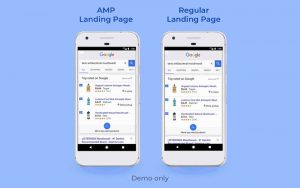
In short, the AMP helps to build web pages that load insanely fast and work smoothly across a variety of mobile devices. Accelerated Mobile Pages load for about 2 seconds in comparison to up to 22 seconds for regular ones.


Google pays a lot of attention to the load speed when deciding how to rank them in SERP. It means that the AMP technology is also remarkably useful for building a healthy SEO.

Tech Aspect

To get started with accelerated pages, you should learn more about an open-source HTML framework built for this purpose on the official website. There, you’ll find documentation and everything else you may need to get started.

Intelligent Chat Bots

For those businesses working across multiple time zones and having a presence in different countries and continents, it’s essential to provide customers with timely support.


Human customer services are often costly and don’t provide the necessary 24/7 support, unlike chatbots. That’s why entrepreneurs wonder how to build a chatbot that’d cover their needs making it another web development trend for 2021.


The chatbots powered with machine learning has been a worthy replacement for humans in many customer support tasks. Chatbots can give answers to frequently asked questions, redirect users to the right customer support specialist, and even take an order.


What’s more, a recent study shows that 65% of customers feel comfortable handling an issue without a customer support specialist.

Tech Aspect

There are several open-source solutions that can help you build an intelligent chatbot faster:


Responsive Websites

Responsiveness is no longer a nice-to-have feature. It’s now a must-to-have feature for every website on the Internet. It has been a trend for many years and 2021 isn’t an exception.


Taking into account that an overwhelming number of users prefers mobile devices over desktops and regarding Google’s recent mobile-first indexing policies, there’s no other way to succeed on the Internet except for being responsive.

Optimization for Voice Search

The voice search has an ever-rising potential that businesses simply can’t ignore. The last year’s report shows that more than half of all smartphone users were using the voice search in 2020. This number is going to grow exponentially.


Bearing in mind the current state of voice search and its perspectives, it’s definitely a web development trend for this year. Companies will start losing money without adding voice search to their SEO strategy and providing the IT budget for it.

Tech Aspect

The Web Speech API from Mozilla can help you with this task. The API helps to recognize the voice context, respond to queries, and read text content.

API-First Design

With the rise of digital services and their connectivity with one another, API-first design has become a widespread web dev elopement approach. And it’s still a trend.


With the traditional development approach, teams rather focus on delivering a smoothly working app and pay little attention to an API. APIs are often perceived as side projects and might not be designed and tested properly.


The API-first development, unlike the traditional one, goes simultaneously so that one part of the team doesn’t have to wait until colleagues finish their part of work.


Tech Aspects

Here are some popular tools for developing a high-level API:

Web Push Notifications

Push notifications used to be a privilege of mobile apps for a long time. However, web apps with push notifications gain momentum. Push notifications on websites can be used for informing about a new blog post, telling that a thing you were interested in is back in stock, and many other situations.

Tech Aspects

There are plenty of tools on the market that can help you integrate push notifications:

Wrapping Up

So, we have the following web development trends for 2021:


  1. Progressive Web Apps (PWA)
  2. Accelerated Mobile Pages (AMP)
  3. Intelligent chatbots
  4. Responsive websites
  5. Optimization for voice search
  6. API-first design
  7. Web push notifications


If you’re building a new product or going to update the old one, it may be a good idea to identify what trends are right for you to start preparations.


Author’s bio


Vitaly Kuprenko is a writer for Cleveroad. It’s a web and mobile app development company with headquarters in Ukraine. He enjoys writing about technology and digital marketing.

Ways to Improve User Experience Through Web Design

Over the last few years, much has been said about user experience or UX, which, in a nutshell, pertains to how a user feels about using a product, application, service, or website.

For webmasters, the concept of UX just got real when Google announced that it would be an official ranking factor beginning in May 2021.

With Google rolling out page experience signals in ranking, it has become imperative for webmasters to ensure that people get nothing but the most helpful and enjoyable experience when visiting their sites.

So far, the best way to improve website UX is through web design. From boosting site speed to improving readability, here are some web design tweaks you can make to enhance the user experience.

Improve Page Speed

Internet users these days expect web pages to load in three seconds or less.

If loading your pages takes longer than that, they will likely bounce off to a website that loads faster.

If you’re not sure about your page speed, use Google’s Page Speed Tools.

As for web design tweaks that will help improve your page speed, some of the things you can do include optimizing your images and keeping the use of heavy graphics, custom fonts, and pop-ups to a minimum.

Make Website Navigation Easy

Bad website navigation can make a business lose customers. With the poor user experience that difficult-to-navigate sites provide their visitors, them bouncing off a website is understandable.

Website navigation needs to be easy to provide a good user experience. Some of the web design adjustments you can make to improve navigation include:

  • Making all navigational elements clickable
  • Featuring drop-down menus
  • Putting up a working search feature
  • Anchored navigation bars
  • Internal linking
  • Linking the logo back to the home page

Use The Power of White Space

Your website can offer a much better user experience if visitors find your content easy to read, and that is something that white space does very well.

Also referred to as a margin or negative space, white space gives your content a lot of breathing room, making it look more enticing to read than walls of text.

Aside from making pages more readable, white spaces also provide harmony and balance to your page. More importantly, white spaces make your calls to action (CTAs) stand out because the page no longer looks cluttered.

Keep the Design Clean

For a web designer, it’s easy to give in to the temptation of showing off their graphic design skills and end up with a website that’s practically begging for attention with the wanton use of animations, flashy colors, and other loud visual design elements.

Aside from slowing your website down, unnecessary visual elements also turn people off. In this day and age where minimalism is already a thing, keeping your web design simple and clean will always win people over.

Rid your web pages of unnecessary stuff, and you’ll have a much cleaner interface that will unfailingly enhance the user experience.

Make Mobile-friendliness A Priority

There are three billion smartphone users in the world today. Mobile users have long outnumbered desktop users, and they deserve every bit of effort you can make to make your pages look great on their devices.

Mobile users, in general, don’t relish the idea of pinching, zooming, scrolling sideways, or tapping on very tiny buttons of non-mobile-friendly sites. If your website forces them to do that on their devices, then you’re not providing them with an excellent user experience.

You can change that by switching to responsive web design, which will make your website adjust to the size of the screen people are using. Responsive web design gives mobile and desktop users alike an optimal browsing experience, which leads to a better UX.

These are just some of the ways you can enhance UX through web design. Partner with a reliable web design agency to make the necessary adjustments to your website design, and you’ll discover more ways to make the user experience even more remarkable for your visitors.


About the Author

Shawn Byrne is the founder and CEO of SEOPhoenix.net. Shawn started his career in I.T. troubleshooting workstations, servers and networks, then went on to doing SEO as a side project and quickly found success in ranking websites. It was easy for him to grasp not only the algorithms but also the technical side which most SEO strategists miss and neglect because of its complexities. SEO Phoenix then grew based on its own rankings and referrals.


How to Approach UX Software and Apps During the COVID Pandemic

It seems that COVID-19 has transformed every part of the world. While that’s true for most markets, the way users and investors approach UX software is just about the same.

It’s part of the reason why markets are bullish on companies that have robust technological platforms. While it’s not all rainbows and butterflies for every tech platform, the strength, stability, and growth of most platforms are undoubtedly signs of things to come.

But how do you approach UX software and apps in the current COVID pandemic, and where’s it all going when the dust settles? The answer might not be as complicated as you think.

It’s Still About Convenience

UX software, especially CRM software and apps took off in the first place because of the convenience factor. It’s everything UX stands for. It needs to look and feel natural, and of course, be extremely useful.

So, in a world where a global pandemic has limited human interactions, it’s no surprise that those with easy to navigate user-friendly software and apps are reaping the rewards.

UX Software and Apps are Taking Off During COVID

Experts tell us that we need to stay apart from people to help mitigate the spread of COVID-19. We’re still longing for that connectivity and a way to interact with the world and live our lives. UX software and apps have bridged those gaps and are gaining in popularity by the day.

But why exactly has UX software and apps taken off during COVID? A large part of it has to do with the way that COVID-19 has shifted human behavior. According to Forbes, Covid has increased internet usage by 70%, and online streaming services by over 12%.  Instead of going to stores to shop or the movies for a night out, consumers are shopping online and using apps to stream movies.

It’s about bringing your product to the consumer instead of having the consumer come to you. This is where UX software and apps thrive. They’re not about trying to get a consumer to a specific place. They’re about making everything as easy as possible for the product to come to you.

But it goes beyond that. Consumers are spending significantly more time at home and are using apps like Zoom, Facebook, and Skype to connect with friends and family.

This leads to more consumers on the Internet throughout more of the day and more ways to reach them. Even better from a UX software and apps standpoint, it’s forcing entirely new consumers to the web.

Many of these consumers are technologically illiterate, so the easier it is to navigate the app or software, the better. It’s a golden age for UX software and apps.

How to Hire the Right Specialists

If you’re serious about investing in your UX software or apps, you need to find the right specialists. Hiring the right developers the first time can save you hours of frustration and tons of money.

But where can you find a qualified developer that will take the time to put your product over the top? While there are tons of great choices out there, freelance marketplaces are a choice, according to Taso du Val, CEO of Toptal: “the reason that we are able to do that is that we actually have a lot of process and domain expertise internally to be able to vet those talents, whether it’s in finance or software development, to ensure that that person before we send them to you, is the perfect match.”

Tech is the Future – With or Without COVID

Tech has slowly been taking over just about every industry for years. COVID-19 only hastened the transition. It’s because of this that you don’t have to worry about new UX software or apps going out of style once we’ve finally beaten this pandemic.

COVID-19 is unique because older generations have more of an incentive to switch to mobile apps and software to meet their daily needs.

This benefits UX software and apps in two ways. First, it brings along a market that has long been dragging its feet into the fray. Second, older generations benefit the most from software and apps that are more user-friendly. It’s a win-win for UX software and apps.

The better the UX software and apps, the more likely they will be to succeed. Whether you’re looking to invest in your own business or get into a new career, UX software and apps aren’t going anywhere.

It’s why major corporations have been investing in their mobile apps and software for years, and those that invested more had those dividends pay off sooner than expected once COVID-19 hit.

It is very clear that the new age of social distancing has changed the way business is done, and as the market is connected more than ever, it is time to maximize your social media management to reach out to them.

Invest, Invest, Invest!

If you’ve got a business or product that you’re trying to take to the next level – UX software and apps are undoubtedly the way to go. Even if a vaccine for COVID-19 is right around the corner and solves the pandemic woe, the world has shifted to a tech-centric model for good.

As the older generation learns and realizes how easy it is to use some of these programs and apps, they’re likely never to go back. Even if they do, the younger generation is making up more of the population every day.

If you want to compete for the upcoming generation, you need to do it through software and apps. Of course, the more user friendly the app, the more successful you’ll be! It’s why UX software and apps are the way of the future.

It’s beyond maximizing profits; it’s a necessity to keep afloat in a changing world. The good news is that once you make the transition, you can see profits like never before.

Summary

While COVID-19 has wreaked havoc on just about every industry, those that have learned how to adapt are starting to overcome its worst effects.

Both large and small companies are learning what those in the industry have known for years – UX software and apps will dominate the market in the 21st century. But don’t lose faith if you’re late to the party! Take the time now to catch up and take your business over the top!